Compare Salaries Before Applying: A 2026 Job Seeker’s Guide

Salary benchmarking is the practice of measuring a job offer against verified market data before you apply or accept. Most job seekers skip this step and pay for it later. When you compare salaries before applying, you avoid accepting offers that look competitive on the surface but fall short once you factor in taxes, benefits, and location costs. Total compensation, the industry term for the full value of a pay package, includes base salary, bonuses, equity, employer benefits, and retirement contributions. Tools like CalcBold, Pay44, and Fairpayguide make this calculation fast and accurate.
Why comparing salaries before applying changes your outcome
Salary benchmarking before you apply gives you two advantages most candidates never use. First, you know whether a role is worth your time before you invest weeks in interviews. Second, you enter negotiations with real numbers, not guesses.
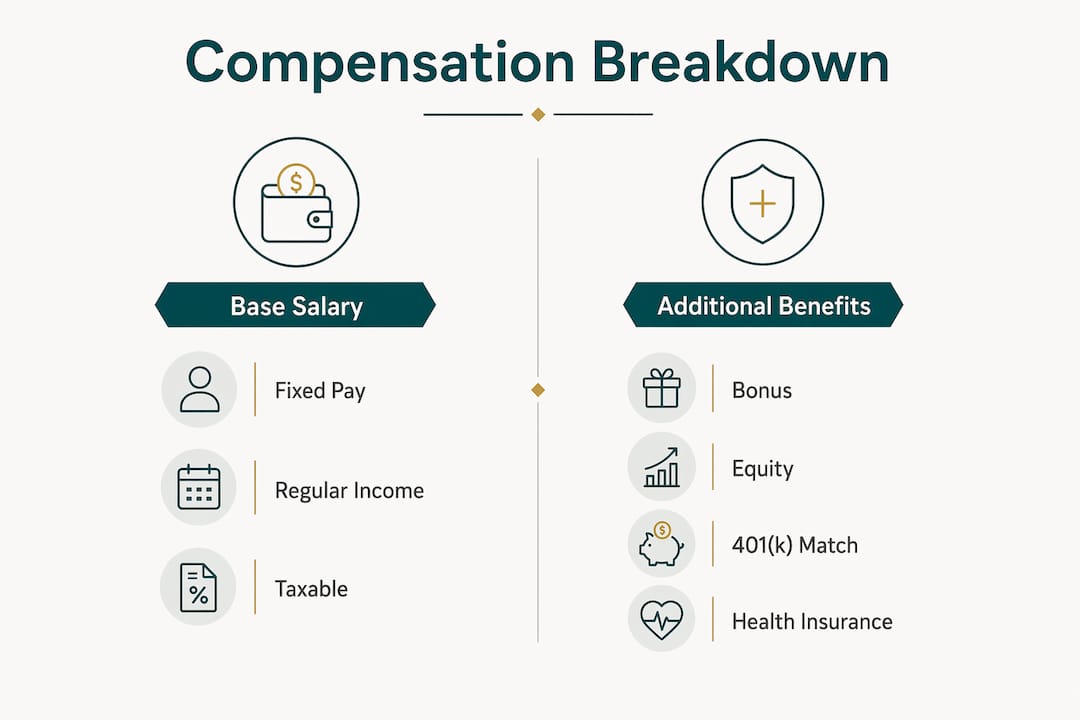
Base salary accounts for only 60–70% of total compensation for most professional roles. That means up to 40% of your actual pay package sits in components many candidates never calculate. Ignoring those components is the single most common and costly mistake in job searching.
The gap between two offers rarely shows up in the headline number. A $120,000 base at a startup with no 401(k) match and a high-deductible health plan can be worth less than a $110,000 base at a company that matches 5% of salary and covers 90% of health premiums. You need the full picture before you apply.

What makes up total compensation beyond base salary
Total compensation follows a specific formula: base salary plus annualized signing bonus plus annualized equity plus annual bonus plus 401(k) match plus benefits value. Each component requires its own calculation.
Here is what each piece means in practice:
- Base salary: Your fixed annual pay before taxes. This is the number most job postings advertise.
- Signing bonus: A one-time payment, typically paid in year one. Divide it by the number of years you plan to stay to annualize it accurately.
- Equity or stock grants: Shares or options that vest over a period, usually four years. Divide the total grant value by the vesting period to get the annual figure.
- Annual bonus: Variable pay tied to performance. Use the target percentage, not the maximum, for a realistic estimate.
- 401(k) match: Employer contributions to your retirement account. A 5% match on a $100,000 salary adds $5,000 in annual value.
- Benefits: Health, dental, and vision insurance. Employer-paid health premiums can exceed $10,000 annually, a figure most candidates never add to their comparison.
Pro Tip: Ask HR for the employer’s annual contribution to health insurance premiums. Most will share this number, and it often shifts the total comp ranking between two offers.
Candidates are often surprised by how much employer-paid benefits add to the real value of a package. A role with a lower base but full family health coverage and a generous 401(k) match frequently beats a higher-base offer with minimal benefits.
How location and taxes change your real take-home pay
Two offers with identical gross salaries can produce very different paychecks depending on where you live. State income tax rates range from 0% to above 13%, and that gap directly reduces your net pay. California sits at the top of that range while Texas charges no state income tax at all.
Federal tax brackets add another layer. Your filing status, whether single or married filing jointly, changes your standard deduction and effective rate. A $130,000 salary in San Francisco nets significantly less than the same salary in Austin after state and federal taxes.
Cost of living compounds the difference further. A $100,000 salary in New York City buys far less than $100,000 in Raleigh, North Carolina. Cost of living indexes, like those published by the Council for Community and Economic Research, assign a numeric score to each city so you can convert salaries to comparable purchasing power.
Here is a simplified comparison of how location affects the same base salary:
| Location | State income tax | Cost of living index | Adjusted value of $100,000 |
|---|---|---|---|
| San Francisco, CA | ~13.3% | Very high | Low purchasing power |
| Austin, TX | 0% | Moderate | High purchasing power |
| Seattle, WA | 0% | High | Moderate purchasing power |
| Chicago, IL | ~4.95% | Moderate | Moderate purchasing power |
Pro Tip: Use a cost of living calculator alongside a tax calculator before comparing two offers in different states. Running both takes under five minutes and can reveal a $15,000–$20,000 real-world gap that the headline salaries hide.
Tools like Pay44 and CalcBold incorporate both tax rates and cost of living adjustments into a single output. That single adjusted number is what you should compare, not the gross salary on the offer letter.
How to use salary comparison tools step by step
Salary calculators annualize all compensation components and then normalize the total by a cost of living index. The output shows your adjusted purchasing power and the dollar gap between offers. Here is how to use them effectively:
- Gather your offer details. Collect base salary, signing bonus, equity grant and vesting schedule, annual bonus target, 401(k) match percentage, and the employer’s health insurance contribution.
- Enter each component separately. Tools like CalcBold and Pay44 have dedicated fields for each input. Entering a lump sum instead of itemizing produces inaccurate results.
- Set the location for each offer. Select the city and state for each role. The tool applies the correct state tax rate and cost of living index automatically.
- Choose your filing status. Single and married filing jointly produce different federal tax outcomes. Use your actual status.
- Review the annualized total comp output. The calculator converts everything to an annual figure. Compare this number, not the base salary line.
- Run the same inputs for each offer. Side-by-side comparison only works when every offer uses the same methodology.
Fairpayguide’s salary comparison tool covers roles across industries and locations worldwide. For hourly roles, multiply the hourly rate by your expected annual hours before entering it as a base salary equivalent. This keeps the comparison consistent with salaried offers.
When comparing total compensation at a large tech company versus a startup, headline salaries often look equal. The real difference shows up in equity value, bonus reliability, and benefits quality. A structured calculator forces you to quantify each of those differences.
Common pitfalls in salary comparison and how to avoid them
The most frequent error in salary research before a job application is treating base salary as the whole story. Candidates routinely mistake base salary for total compensation, which causes them to reject better offers and accept worse ones.
Watch for these specific mistakes:
- Comparing gross salaries across different states. Two $95,000 offers are not equal if one is in Texas and one is in California.
- Ignoring equity type differences. Restricted stock units (RSUs) at a public company have a clear market value. Options at a pre-IPO startup carry real risk and may be worth nothing.
- Skipping indirect benefits. Paid time off, remote work stipends, tuition reimbursement, and parental leave all have dollar values. A role with 25 days of PTO versus 10 days represents real compensation.
- Deciding before negotiating. Most companies will negotiate base salary, signing bonus, equity, or start date. Comparing offers before you have pushed each to its best version means you are comparing incomplete data.
Pro Tip: Negotiate every offer before you compare them. Get each offer to its ceiling, then run the numbers. You may find the offer you were about to decline becomes the stronger one after negotiation.
For IT and cybersecurity professionals, long-game job search strategies recommend treating salary research as an ongoing practice, not a one-time task at the offer stage. Knowing your market rate before you apply changes how you position yourself in every interview.
How to read salary ranges and market data
Salary ranges published by employers and market data platforms represent a spread from minimum to maximum for a given role. The median sits in the middle and reflects what a typical candidate earns. The 75th percentile shows what top performers or senior candidates earn. Knowing where you fall in that range before you apply sets realistic expectations.
Several factors explain why ranges vary widely for the same job title:
- Industry: A software engineer at a financial services firm typically earns more than the same role at a nonprofit.
- Company size: Large public companies generally pay above the median. Early-stage startups often compensate with equity instead.
- Location: Market data without a location filter is nearly useless. Always filter by city or metro area.
- Experience level: Most ranges assume a midpoint experience level. Candidates with specialized skills or leadership experience should target the upper third.
Fairpayguide’s salary lookup tool lets you filter by job title and location to find verified salary ranges. Use this data before you apply to set your target number and identify roles where the posted range falls below your market value. Checking how salaries compare worldwide adds context if you are evaluating remote roles or international opportunities.
Key Takeaways
Accurate salary comparison requires total compensation analysis, not just base salary, adjusted for location taxes and cost of living.
| Point | Details |
|---|---|
| Total comp beats base salary | Base salary covers only 60–70% of total pay; always calculate bonuses, equity, and benefits. |
| Location changes real value | State taxes and cost of living can shift the real value of two equal salaries by $15,000 or more. |
| Use structured tools | CalcBold, Pay44, and Fairpayguide normalize all components so you compare apples to apples. |
| Negotiate before comparing | Push every offer to its best version before running a final comparison. |
| Market data sets your floor | Use salary range data by location and industry to know your worth before you apply. |
What I have learned from years of salary research
Obinna’s take on this is direct: most candidates do their salary research too late. They wait until they have an offer in hand, then scramble to figure out if it is fair. By that point, they have already anchored the conversation around the employer’s number.
The candidates who consistently land better packages start their research before they apply. They know the market rate for their role in their target city. They know which companies are known for strong equity programs and which ones compete on base. That knowledge changes how they answer the question “What are your salary expectations?” in the first interview.
I have seen job seekers walk away from a $115,000 offer because it looked lower than a $120,000 offer, only to realize later that the first package included a $12,000 annual 401(k) match and full health coverage. The second had neither. The math was not close.
The tools exist to prevent that mistake. CalcBold, Pay44, and Fairpayguide take less than ten minutes to run. The candidates who use them make decisions based on real numbers. The ones who skip this step make decisions based on the number that looks biggest on paper.
Invest the time before you apply. Your future self will thank you.
— Obinna
Start comparing salaries with Fairpayguide
Fairpayguide brings salary transparency to job seekers across every industry and location. Whether you are evaluating a tech role in Seattle or a finance position in New York, the platform gives you verified salary ranges, total compensation breakdowns, and location-adjusted comparisons in one place.
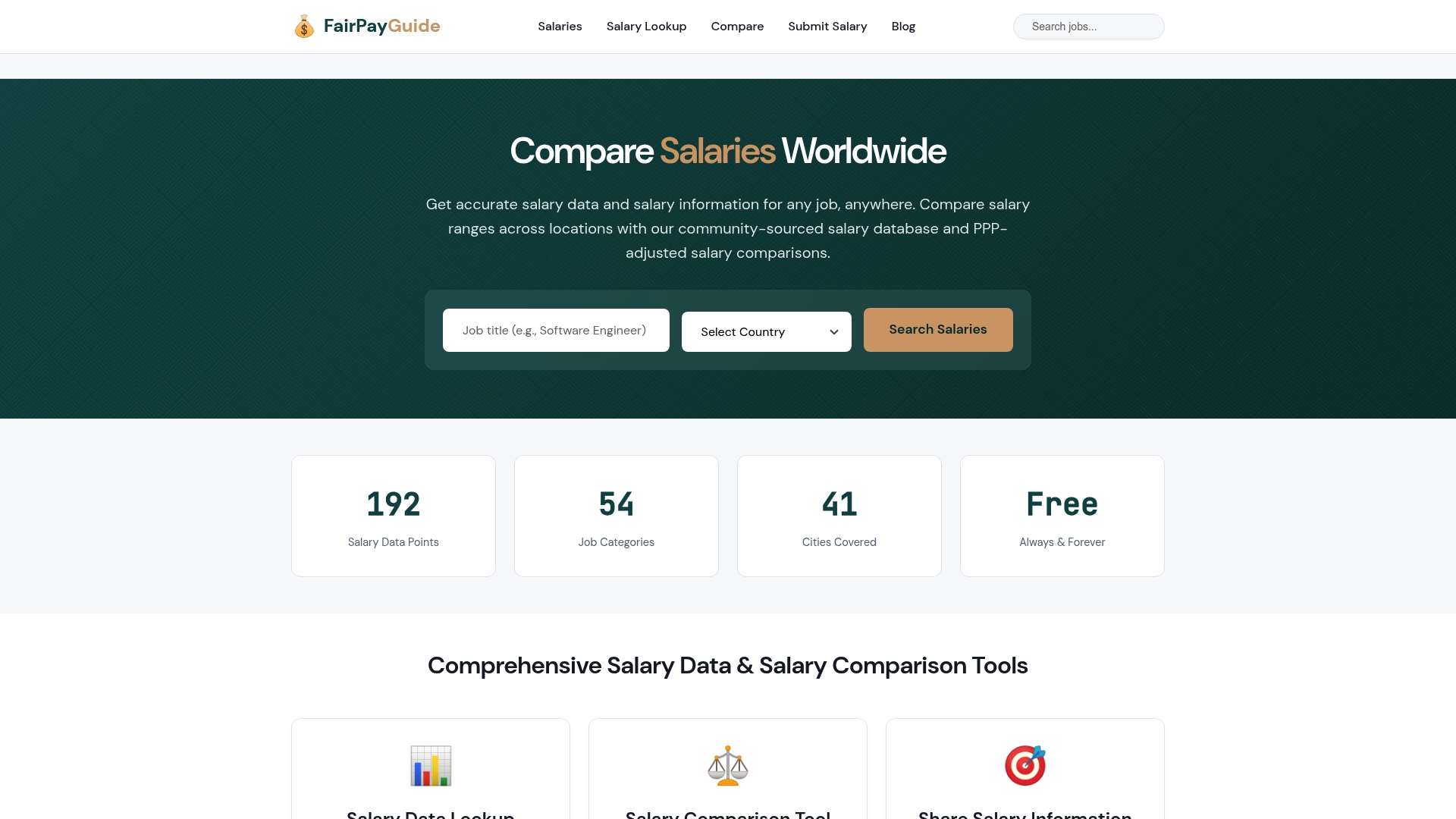
Use the salary lookup tool to find market rates for your role before your next application. If you want to improve the data for everyone, submit your salary anonymously and help build a more accurate picture of what professionals actually earn. The more data the platform holds, the more accurate your comparisons become.
FAQ
What does “total compensation” mean?
Total compensation is the full annual value of a job offer, including base salary, bonuses, equity, 401(k) match, and employer-paid benefits. Base salary alone typically represents only 60–70% of that total.
How do taxes affect salary comparisons across states?
State income tax rates range from 0% to above 13%, meaning two identical gross salaries produce very different take-home pay depending on the state. Always compare net pay, not gross pay, when evaluating offers in different locations.
Should I negotiate before or after comparing offers?
Negotiate every offer to its best version before you compare them. Most companies will negotiate base salary, signing bonus, equity, or start date, so comparing unfinished offers means you may reject a package that could have been stronger.
What salary comparison tools are most reliable?
CalcBold and Pay44 both annualize and normalize total compensation components including taxes and cost of living. Fairpayguide provides verified salary ranges by job title and location for market benchmarking before you apply.
How do I value equity in a job offer comparison?
For public company RSUs, use the current share price multiplied by the number of vesting units per year. For pre-IPO startup options, apply a significant discount to reflect the risk that the shares may never reach a liquidity event.